How to Play Command a Squad
Match flow, confirmed commands, and habits that keep your AI squad useful.
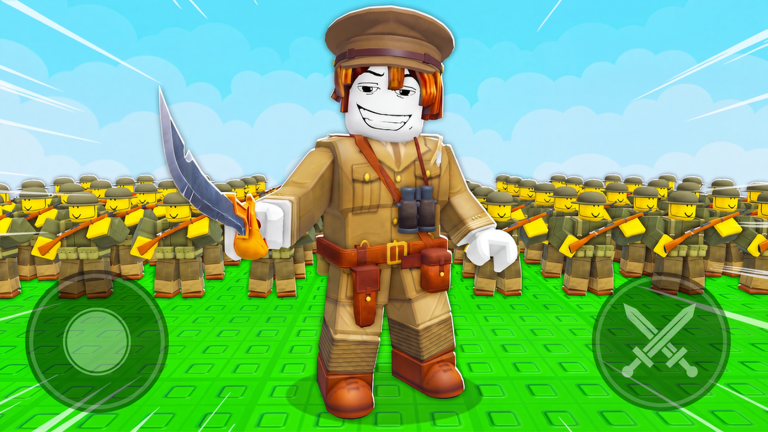
This how to play guide explains how a Command a Squad match flows from faction select to final capture, which commands are confirmed in community coverage, and how to avoid carrying over keybinds from Command An Army. Read Getting Started first if you have not redeemed Codes or earned your first Gold yet.
Core fantasy in one paragraph
You are a field commander who also fights. Your AI squad follows your lead across WW1 battlefields. Matches revolve around ordered objectives A → B → C. Attackers must take them in sequence. Defenders must stop that sequence. Between fights you spend Gold to recruit infantry, machine gunners, medics, flamethrowers, field artillery, cavalry, tanks, and elites. Success is objective control plus squad survival, not a raw kill feed.
Pre-match setup
- Launch the Roblox experience and enter a queue or server.
- Choose US or Central Powers when prompted.
- Note whether your side is attacking or defending — that choice changes patience versus aggression.
- Check your current squad composition before the round locks.
- Mentally mark the first live letter so you do not run to C while A is still contested.
If your roster is empty or thin, bail to the lobby recruit flow described in Recruit and Upgrade after the match rather than forcing a hopeless lineup.
During the round
Stay oriented on three things: the active capture point, your squad’s position, and the enemy’s heaviest threat (machine gun nest, flamethrower rush, or tank). Move with cover. Trenches, sandbags, and buildings exist to break sightlines. When you need the squad inside structures, use the confirmed order M to send them into buildings. That single command matters on urban scraps and farmsteads where open approaches are death. For the full confirmed list — and a clear warning not to invent Command An Army C/X/V/B binds — see Controls and Keybinds.
Fight beside your troops. If you sprint far ahead, the AI cannot support you and medics cannot stabilize the push. If you hide too far behind, the point ticks without your presence and attackers lose momentum. The sweet spot is the objective bubble where your shots, their shots, and medic LOS overlap.
When a tank is available, learn enter and drive controls in a quiet moment — not mid-push through a choke. Armor changes map geometry; treat it as a mobile bunker that still needs infantry eyes. Full vehicle and gun advice lives in Tanks and Artillery.
Confirmed commands and honest limits
Community first looks and trench videos confirm at least:
- M — send your squad into buildings.
- Tank enter / drive — board and operate armored vehicles when your side has them.
This wiki will not invent Command An Army binds such as C / X / V / B for this title. If a patch adds new hotkeys, we will update this section from verified footage or developer notes rather than guessing. Until then, learn by reading on-screen prompts in-match and by practicing M plus vehicle entry in low-pressure moments.
Movement, aiming, and camera follow standard Roblox shooter conventions unless the experience shows otherwise. Always trust the in-game prompt over a random social post that mixes the two Wagyu-style army games.
Role jobs while you play
- Infantry — flexible bodies for captures and screens.
- Machine gunners — freeze lanes and punish clustered rushes.
- Medics — keep a stalled fight alive long enough to flip a point.
- Flamethrowers — clear dugouts and short trench segments.
- Field artillery — soften a point before the coordinated walk-up.
- Cavalry — punish exposed flanks and rotating defenders.
- Tanks (Mark IV) — break wire-like chokes and lead heavy pushes.
- Elites / veterans — late power spikes after Tier investment.
You will not field every role in match one. Play the units you have, then recruit the missing job. Compare relative strength later on the Tier List.
Attacking with the controls you have
Attackers should stage just outside the capture radius, bring overlapping fire, and commit together. Use M to stuff squads into buildings that overlook the point. Call artillery when you own a gun team. Roll a tank only when infantry can cover its flanks. For timing diagrams and defender answers, continue in Attack and Defend.
Defending with the controls you have
Defenders win by delay and reset. Hold the active letter, not vanity fights on dead ground. Place machine gunners on the approach that attackers must use. Keep medics behind hard cover. When attackers break a building, re-clear it rather than abandoning the sector. If a tank appears, do not stand in its frontal arc; reposition to sides and wait for your own heavy tools.
Map awareness while learning controls
Gallipoli teaches landing pressure and trench climbs. Fir Ridge teaches ridge lines and crossfires. Practice M and vehicle entry on both so the command becomes muscle memory. Layout callouts belong in the Maps Guide.
After the match
Bank Gold. Recruit the role that died most or that you lacked on the last point. Upgrade a unit that already performed instead of buying three new weak options. Check Updates when something feels off — balance patches can change unit feel overnight.
Practice plan for one evening
- Redeem anything active on Codes.
- Play one attack round focused only on staying near A→B→C.
- Play one defense round focused on delaying with gunners and medics.
- In a calm moment, practice M into a building and, if available, tank enter/drive.
- Spend Gold using Recruit and Upgrade priorities.
- Watch a tanks/trenches video from the Tanks and Artillery page if armor still confuses you.
Master the loop before chasing every elite. Command a Squad rewards commanders who move with purpose, keep the squad in useful cover, and spend Gold on roles that fix real failures from the last round.
Frequently Asked Questions
Quick answers for Command a Squad commanders.
What does the M key do in Command a Squad?
M sends your squad into buildings so they can fight from cover instead of standing in the open.
Can I use Command An Army keybinds here?
No. Do not assume C, X, V, or B from Command An Army work in Command a Squad. Use verified prompts and this guide’s confirmed list.
How do tanks work at a basic level?
When your side has a tank, enter it and drive carefully with infantry support. See the Tanks and Artillery guide for deeper tactics.
What is the main objective each match?
Control the capture chain A then B then C as attackers, or stop that chain as defenders, while keeping your AI squad effective.
Where do I learn recruiting after I understand controls?
Open Recruit and Upgrade for Gold spending, Tier 3 paths, veterans, elites, and traits like Skilled Marksman.