Command a Squad Players & Units
WW1 roster roles, squad composition tips, and links to every unit type guide.
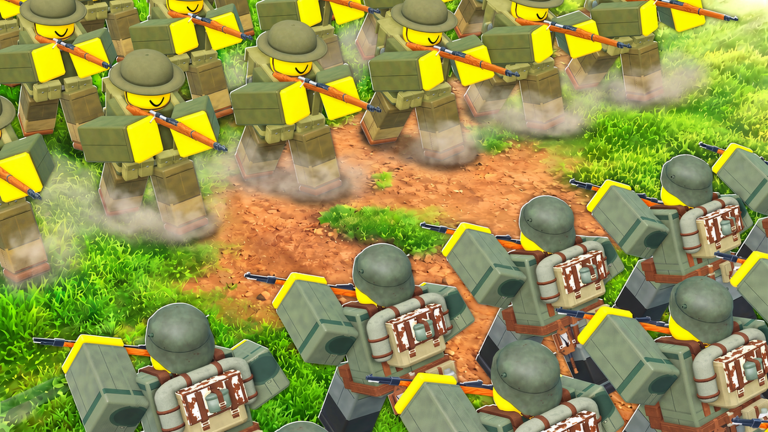
Command a Squad puts you in charge of a World War I fighting force on Roblox. Instead of controlling a single avatar in a deathmatch, you recruit, deploy, and issue orders to a mixed squad while Gold fuels upgrades and new troops. This Players Hub is the roster overview: what each role does, how units support each other, and where to go next when you want a deeper breakdown.
If you are brand new, pair this page with the Getting Started guide and redeem active codes for Gold before your first serious match. When you are ready to compare strength across the roster, jump to the tier list. For the full role-by-role write-up, open Unit Types.
Why the roster matters
Wagyu Games designed Command a Squad around clear battlefield jobs. A line of plain infantry can hold a trench for a while, but without machine-gun suppression, medic sustain, or artillery pressure you will stall on maps like Gallipoli and Fir Ridge. Learning roles early saves Gold and prevents the common mistake of stacking one unit type until a counter appears.
Think in layers:
- Frontline presence — infantry and tanks absorb attention and take ground.
- Fire superiority — machine gunners and flamethrowers punish clustered enemies.
- Sustain — medics keep expensive squads alive through prolonged captures.
- Reach and breakthrough — artillery softens strongpoints; cavalry exploits gaps.
A balanced ten-player lobby rewards commanders who cover at least three of those layers instead of dumping every coin into a single flashy unlock.
Roster at a glance
| Role | Primary job | When to recruit |
|---|---|---|
| Infantry | Hold lines, capture, cheap mass | Always — your core |
| Machine gunner (MG) | Suppress lanes and approaches | When you need firepower on a fixed angle |
| Medic | Revive and keep fights going | After you have a stable front |
| Flamethrower | Clear trenches and close bunkers | Tight maps and dug-in defenders |
| Artillery | Soften objectives from range | Before a major push |
| Cavalry | Flank, chase, force reposition | Open ground and collapsing lines |
| Tanks | Break wire and anchor assaults | Mid-to-late match Gold spikes |
Exact stats shift with patches, so treat this table as a role map rather than a permanent damage chart. For play patterns, counters, and composition ideas, read the dedicated unit types roster.
Building a first squad
Start with infantry so you can contest objectives immediately. Spend early Gold on an MG once you know which approach the enemy favors, then add a medic so you stop bleeding expensive troops. Flamethrowers shine when the fight collapses into trenches; artillery and tanks are power spikes you unlock after a successful skirmish or code redeem. Cavalry is the flex pick for Fir Ridge-style open ridges where a static gun line gets outmaneuvered.
Recommended first-hour loop:
- Redeem RELEASE and BETA if they are still live.
- Play a learning match on Gallipoli focusing on infantry positioning.
- Recruit one MG and one medic before chasing tanks.
- Check the tier list after a few games to see which roles are performing.
- Return here whenever a patch reshuffles the roster.
How this hub connects to the rest of the wiki
- Unit Types — deep dive on every role listed above.
- Flamethrower — trench clears, Gallipoli value, and when not to buy flame.
- Medic — sustain positioning, wipe prevention, and spend order after infantry.
- Guides Hub and Getting Started — controls, first match, and economy basics.
- Tier List Hub — current ranking of units and builds.
- Updates Hub and Launch Notes — what shipped on November 20, 2026 and what is next (including ranked).
- Links Hub — official Roblox page, Discord, and YouTube.
Command a Squad is not Command An Army. The fantasy here is guns, trenches, and WW1 combined arms—not medieval melee. Keep that distinction in mind when you search for videos or scripts, and stick to resources that name Command a Squad and Wagyu Games.
Bookmark this Players Hub as your roster home base. When a new unit drops or ranked arrives, we will extend the child pages under /players/ and link them from this overview so you can re-tune your squad without hunting scattered posts.
Frequently Asked Questions
Quick answers for Command a Squad commanders.
What unit should I unlock first in Command a Squad?
Prioritize infantry for objective play, then a machine gunner for suppression and a medic for sustain. Save tanks and heavy artillery until you have Gold from matches or codes.
Where is the full unit roster explained?
See the detailed Unit Types page for role breakdowns, then compare strength on the tier list.
Does Command a Squad use the same units as Command An Army?
No. Command a Squad is a separate Wagyu Games Roblox title with WW1 infantry, MG, medic, flamethrower, artillery, cavalry, and tanks—not the medieval Command An Army roster.
How many players are in a match?
Matches support up to 10 players. Coordinate roles with teammates so you are not all stacking the same unit type.